

Interactive Creature
In this post, we will design a simple audio system for a creature. The sounds it produces will depend on a game parameter that describes the creature’s state. In our example, the creature will have three distinct states, as shown in the video below. You can, of course, add other states based on your specific gameplay.
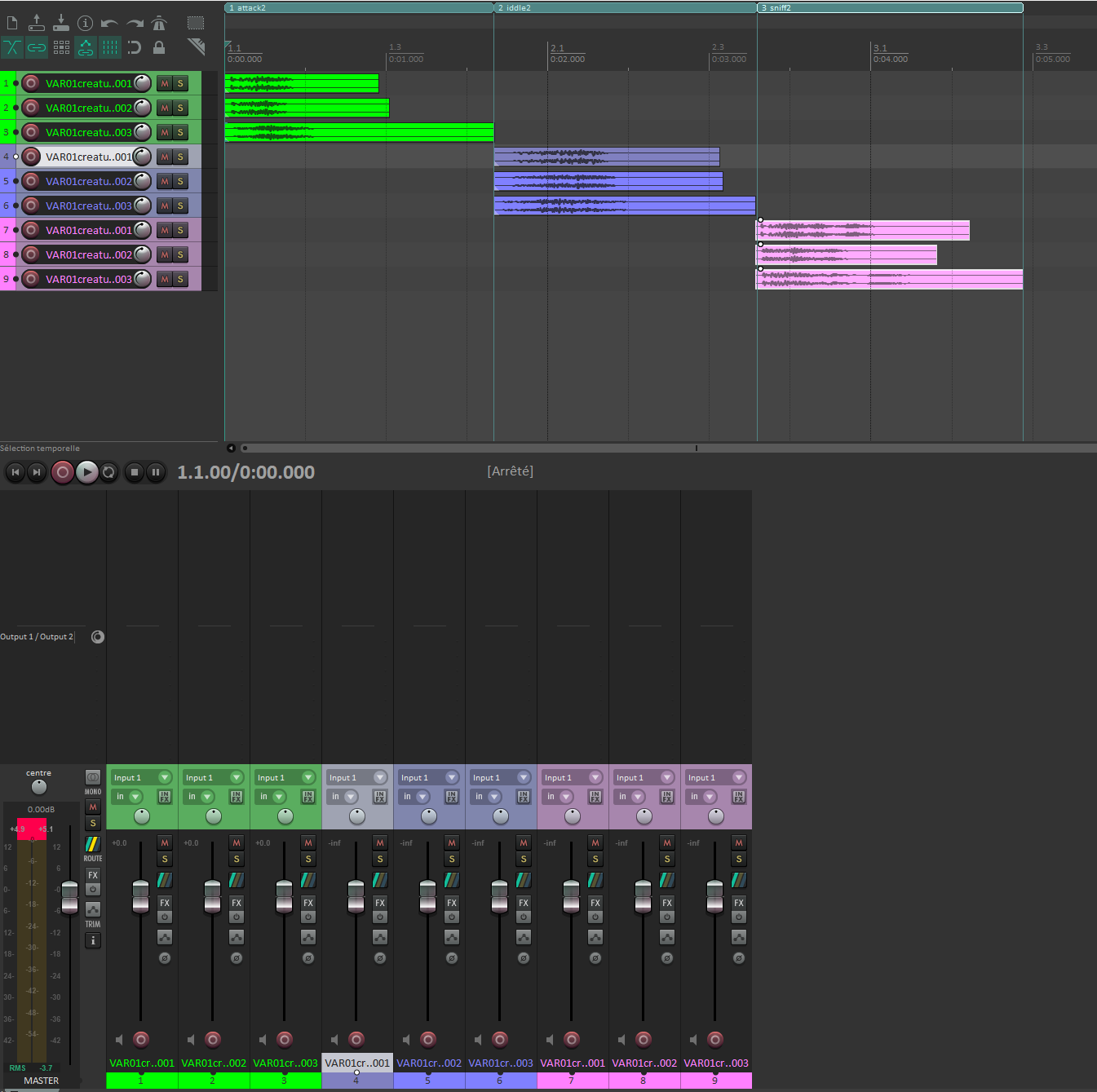
For asset creation, you can record your own voice and apply additional effects, such as pitch-shifting, modulations, and equalization. For this post, we have designed three different types of sound effects: attack, sniffing, and idle.
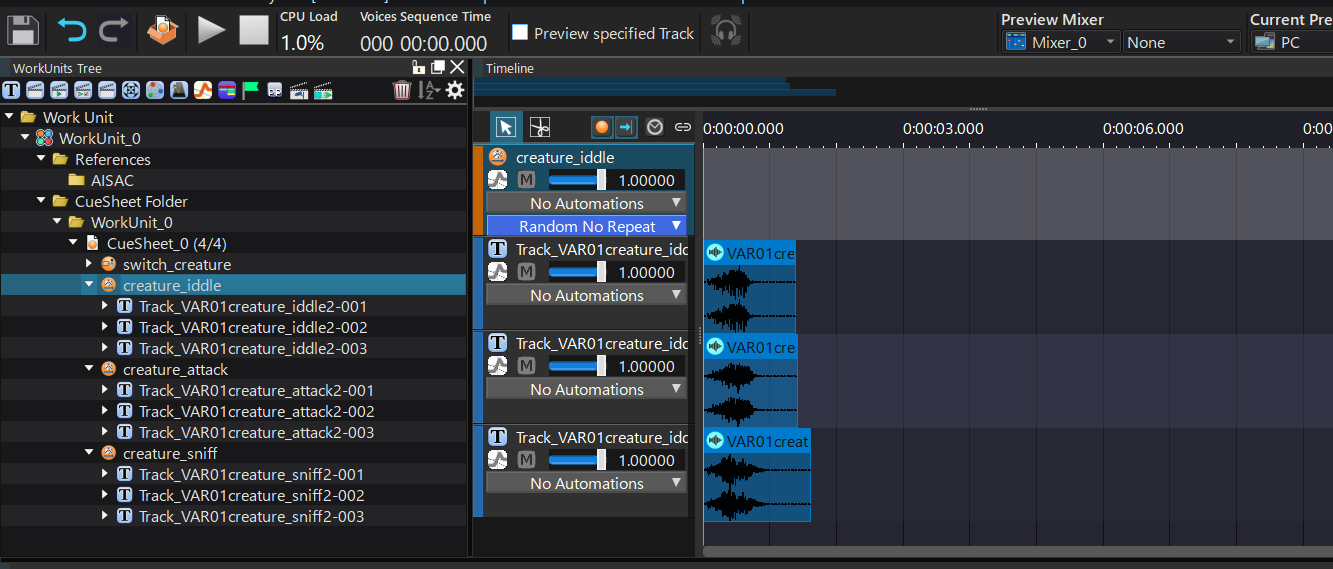
After importing the sound assets into the Material root folder, we create three Random No Repeat Cues, one for each creature state. We assign the sounds we designed for each state to the corresponding Cue, ensuring that there is a single Material per Track. The Cue’s built-in randomization mechanism will make sure that the same Track is never played twice in a row, adding more realism.
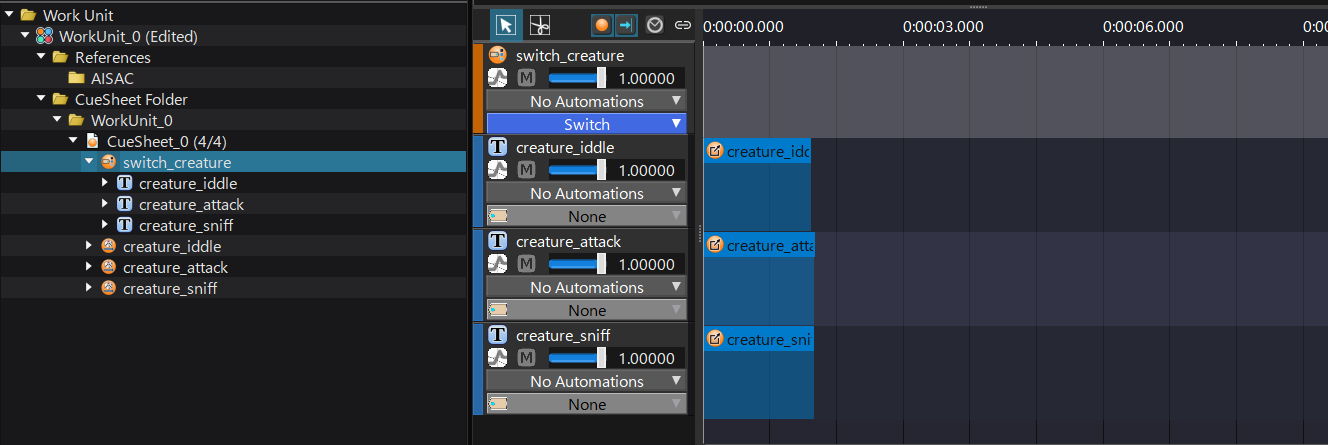
The next step is to create a Switch Cue that will listen to the game engine. We simply drag the existing Random No Repeat Cues onto it, allowing the system to choose between different sound effects based on the game’s current state.
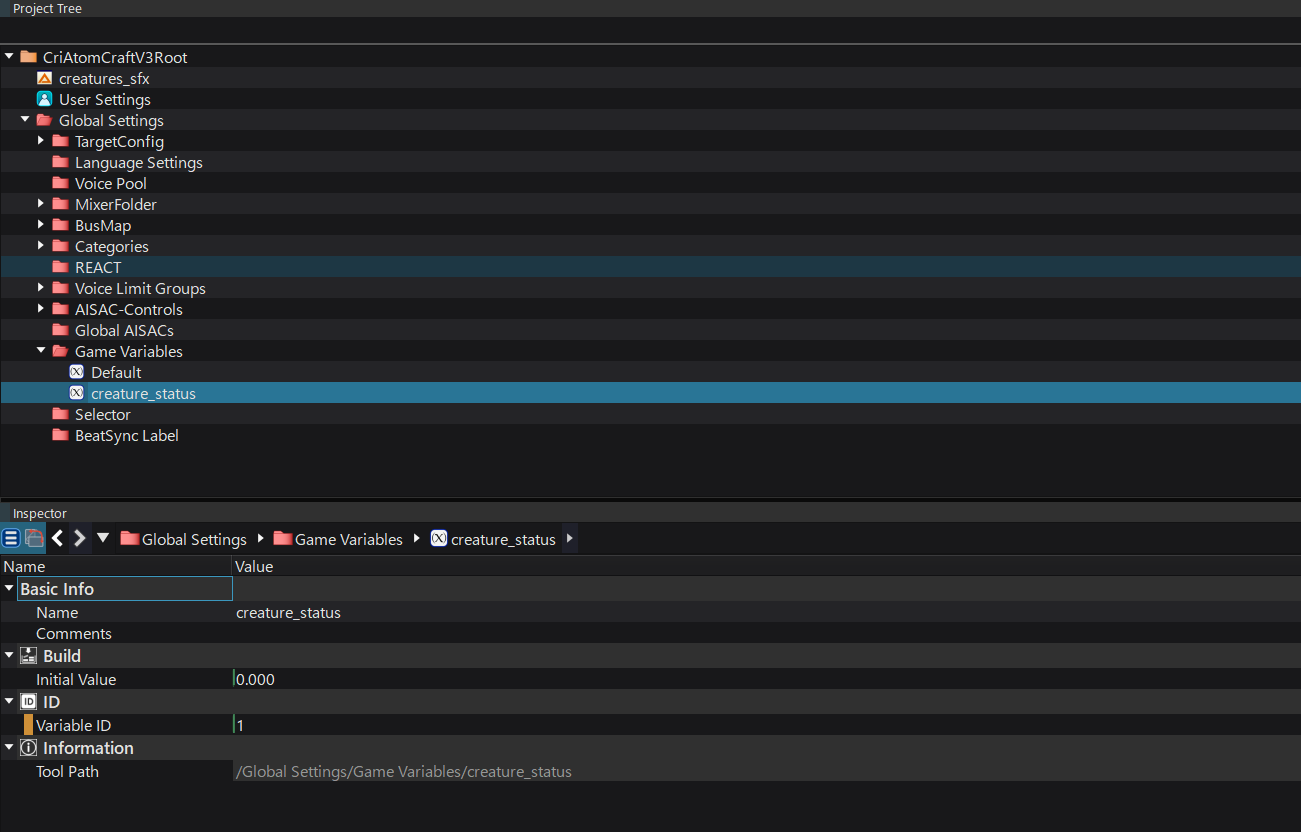
At this stage, our sounds are ready to be played, but we still need the system to listen to the game engine. In the Project Tree, under the Game Variables folder, we create a new variable called “creature_status”. (Note that for well defined states, the usual way to do this would be to create a Selector and Selector Labels, but we want to show here that it is also possible with a Game Variable.)
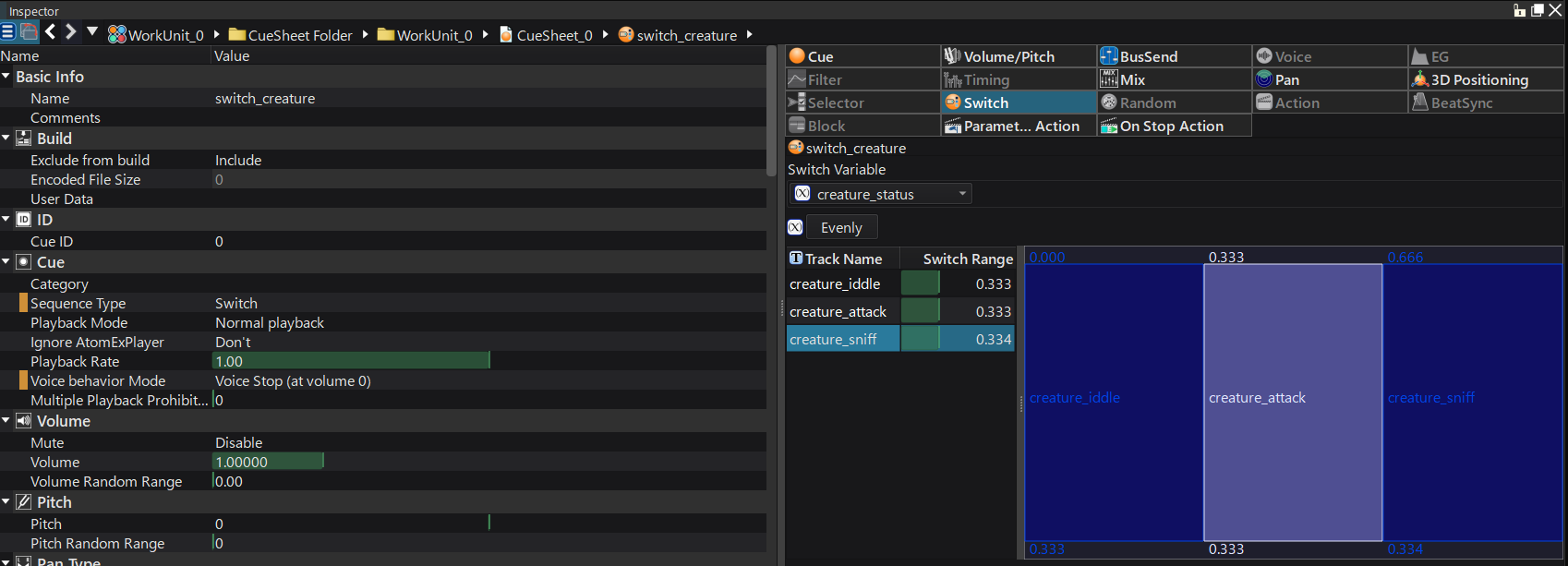
In the Switch Cue‘s inspector, we assign the newly created game parameter to the Switch Variable. Then, we can adjust the value ranges that will trigger the different types of sound effects. You can also simply click the “Evenly” button to distribute the values equally between each Track (in our case 0.333 for each Track), and adjust them later if necessary.
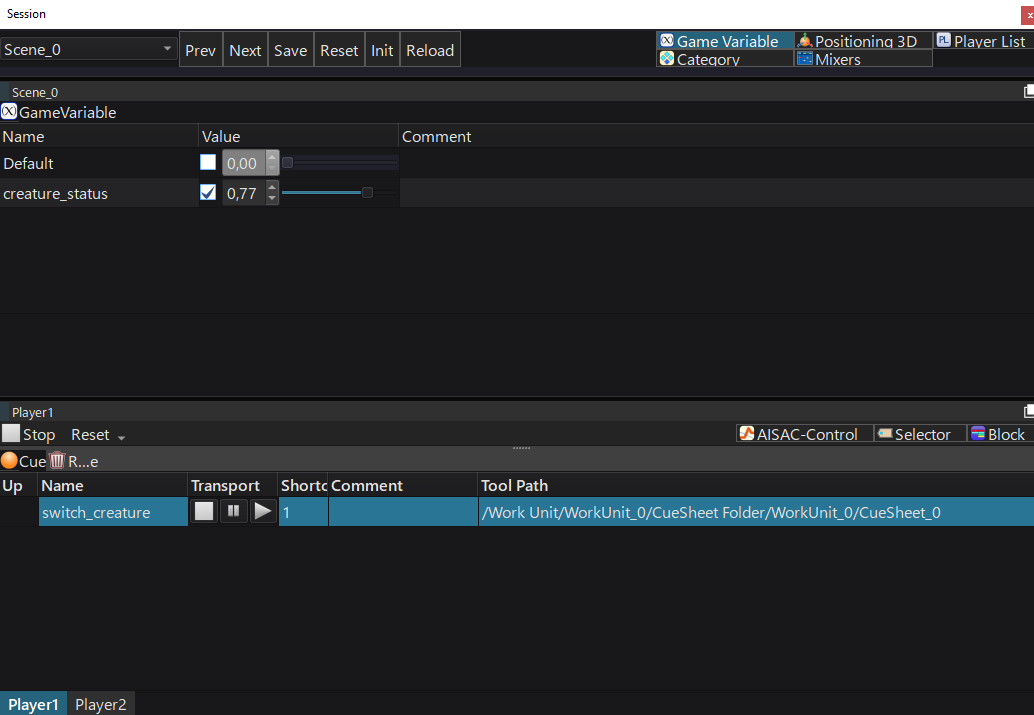
Finally, to test the system, go to View > Session Window, then drag and drop the Switch Cue into the Player. Activate the “creature status” variable, and you will hear the correct sound effect play based on the value you set with the slider.
This system, with the help of a programmer, enables you to play different sounds for a single source depending on the value of a game variable.